





.png?width=115&height=65&name=Content%20AI%20(3).png)
Content Portal
All your brand assets,
ready to download.
Content Portal gives retailers direct access to the latest product images, videos, documents, and marketing materials from their brand partners — organised, always up to date, and available through your existing Tradeplace account.
One place for all brand and product assets.
Content Portal is an intuitive environment where retailers can access and download product assets provided by manufacturers — structured by brand and product family, always current.
No more chasing files from suppliers. Everything your brand partners have made available is here, organised and ready to use.
- Browse all available brands and product families from a single homepage
- Filter by brand, product family, product code, or GTIN — individually or combined
- Download entire asset categories or select individual files precisely
- Manage your download basket before finalising — adjust, remove, or reset
- Always access the latest approved version — maintained directly by the manufacturer
How to access Content Portal
No separate registration required. Log in to your Tradeplace account, launch and select the Content Portal service. Access is included automatically — no additional setup needed.
Connect with retailers throughout Europe




























Content Portal
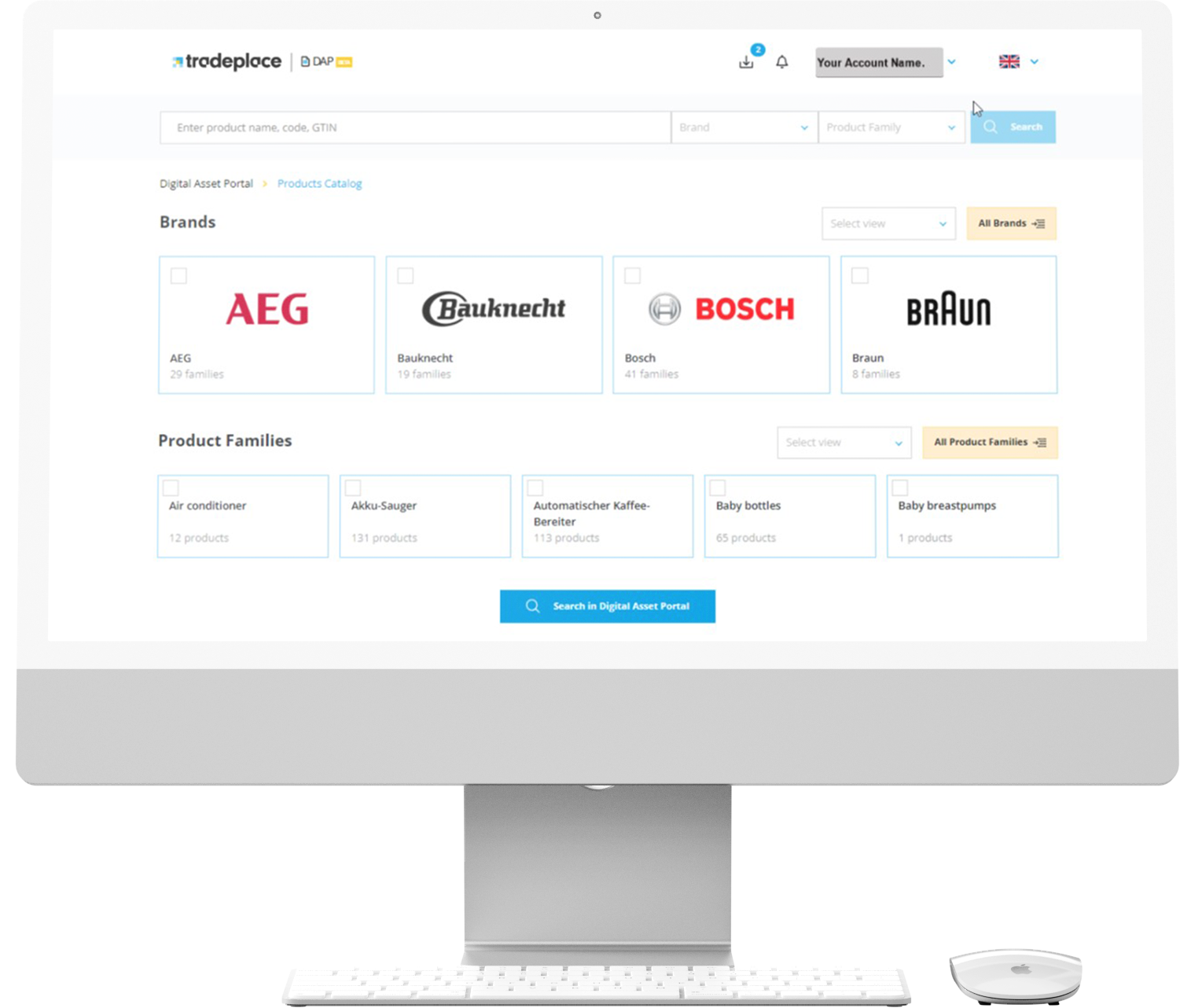
A closer look at how Content Portal helps you find, select, and download the assets you need.
Browse & Filter
Find the right brand assets fast
The Content Portal homepage gives you an overview of all brands and product families available to you. Use the main filter to select a brand and product family, then navigate directly to the relevant assets.
- Start from a clear overview of all brands and product families available to you — no digging required
- Narrow down by brand, product family, product code, or GTIN — combine filters to get to exactly what you need
- Search across multiple products at once — no need to repeat the process for each one individually
- Land directly on the right asset page — no unnecessary clicks between search and result
Good to know
- Select multiple brands or product families simultaneously using the dropdown list in the search bar.
- Use a semicolon to search for several product codes or GTINs at once — no need for separate searches.
- The interface language can be changed directly from the homepage.
Your brand assets are waiting.
Manufacturers on Tradeplace are already making their latest product content available through Content Portal. Log in to your Tradeplace account and start downloading
Assets Selection
Select exactly the assets you need
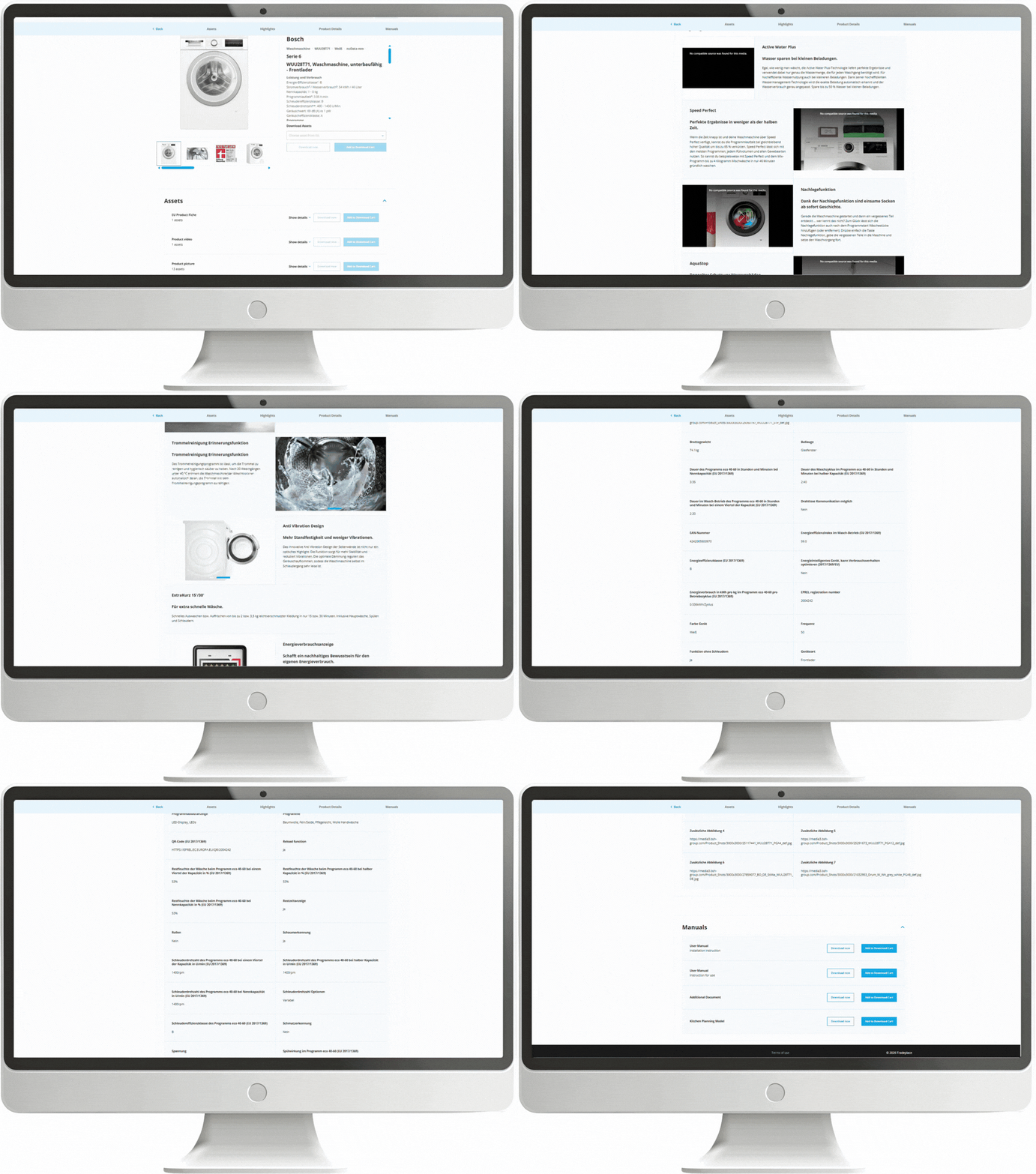
Once you have found the products you are looking for, view all available assets per product and choose what to download — either an entire category at once, or individual files.
- See everything a manufacturer has made available for a product — images, videos, and documents in one view
- Grab an entire asset category in one go — no need to select files one by one if you need everything
- Or go granular — pick only the specific files you actually need, nothing more
- Add to your basket to review before downloading, or start the download straight away
Asset types available
- Product images — all available resolutions and variants
- Videos — product and feature videos from the manufacturer
- Documents — data sheets, manuals, and specifications
- Marketing materials — campaign assets and brand content
Your brand assets are waiting.
Manufacturers on Tradeplace are already making their latest product content available through Content Portal. Log in to your Tradeplace account and start downloading

“Tradeplace enables us to communicate with our retailers faster and more efficiently.”
“Tradeplace enables us to communicate with our retailers faster and more efficiently.”
“Tradeplace enables us to communicate with our retailers faster and more efficiently.”
“Tradeplace enables us to communicate with our retailers faster and more efficiently.”
“Tradeplace enables us to communicate with our retailers faster and more efficiently.”
News

Tradelog