
I enabled customer prices, but no prices or stock are exported
Verify the following:
- The supplier provides customer-specific prices or availability information for the selected products (consult with support@tradeplace.com if you don't have direct contact with the manufacturer)
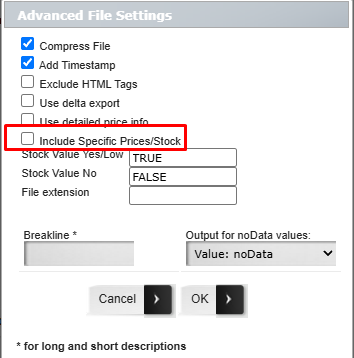
- Include Specific Prices/Stock is enabled in Advanced File Settings.
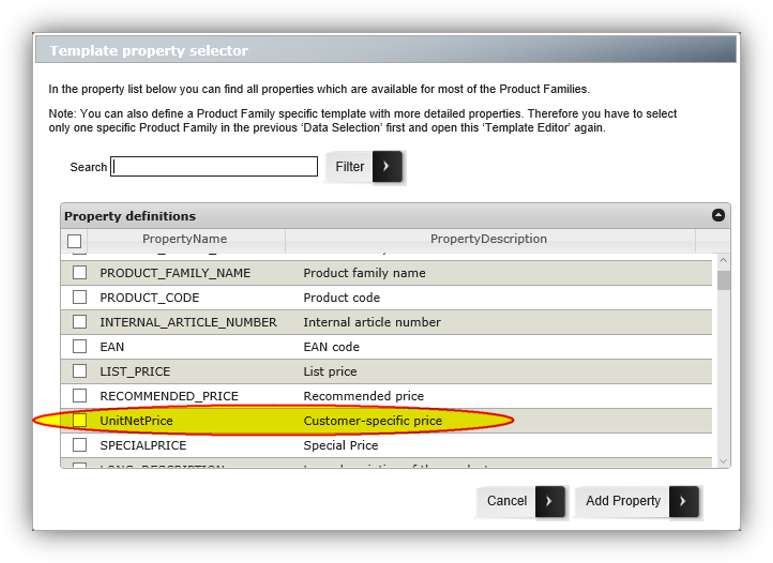
- Your customer code has been authorised by the supplier (if your customer code is not enabled for pricing, the relevant fields will not appear in the property list. For example, the UNIT_NET_Price property will not be available)
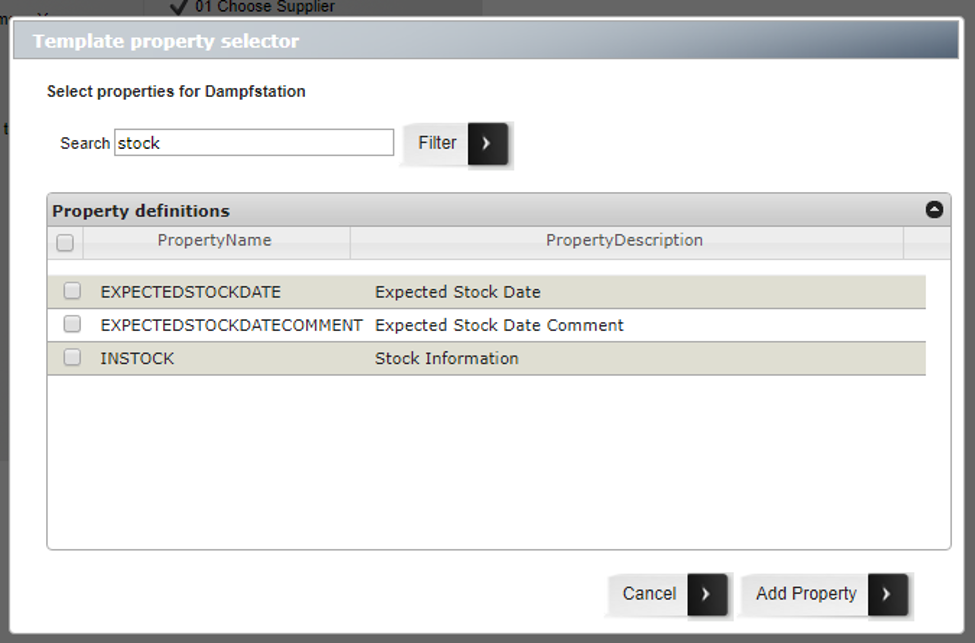
- Your export template includes the required fields (Excel/CSV).
If any of these requirements are not met, the export will complete successfully, but the corresponding fields may remain empty.
Fields included in each export format table.
| Export Format | Customer Price | Availability |
|---|---|---|
| TradeXML | UnitNetPrice |
Availability → InStock, ExpectedStockDate, ExpectedStockComment |
| BMEcat / ETIM | PRODUCT_PRICE (price_type="net_customer") |
Not applicable |
| Excel / CSV | UnitNetPrice (add manually to template) |
InStock, ExpectedStockDate, ExpectedStockComment (add manually to template) |