
Before retailers can place orders, manufacturers must make sure that the right customer code and any needed shipping codes (Ship-to-Party-Code) are set up in the DSA Administration tool.
If no shipping code (Ship-to-Party-Code) is entered for a retailer, the default shipping address defined by the manufacturer will be used.
Ship-to-Party-Codes are identifiers assigned to a retailer’s shipping addresses. These codes must be configured so that retailers can select between different shipping addresses to use the ordering function as intended.
STEP 1
Sign in using your Administrator credentials.
STEP 2
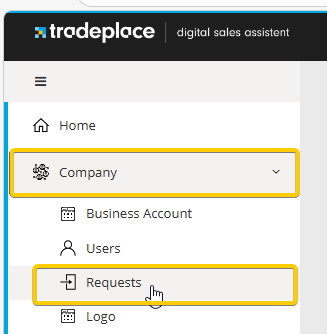
From the main navigation, go to the Requests tab.
STEP 3
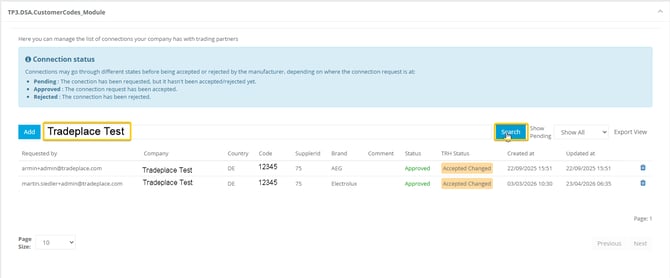
Use the available filters to find the relevant company and brand request.
STEP 4
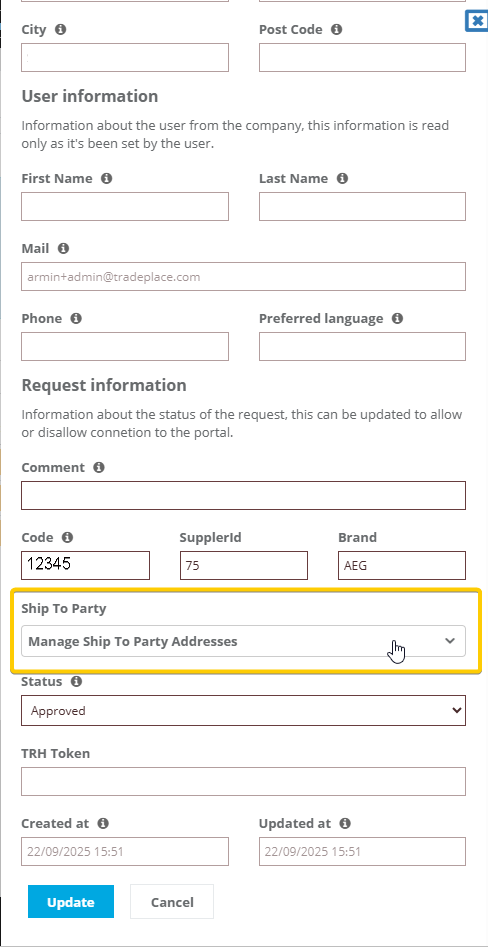
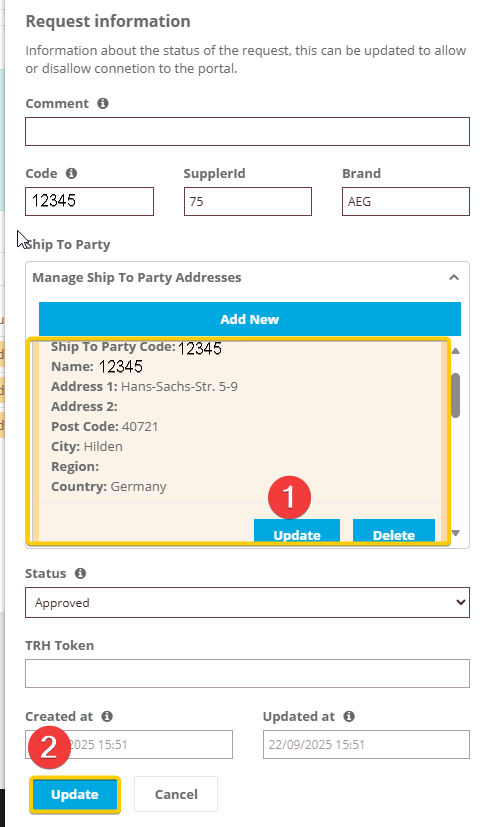
Select the request and scroll to the bottom of the page to find the Ship-to-Party management section.
STEP 5
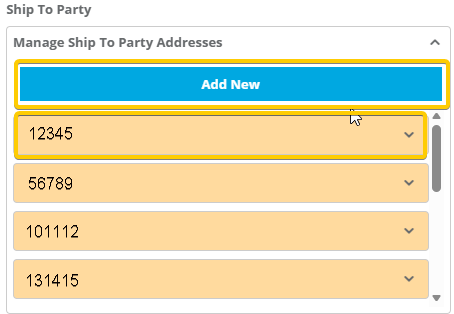
Add, edit, or delete Ship-to-Codes and their corresponding shipping addresses as needed. When you are finished, save your changes in the Ship-to-Code manager and then save the full request as well.
You can provide your retailers with guidance on how to configure the Ordering option by sharing the following articles: