After logging into the Portals Hub Administrator Central, access the dashboard view by selecting HOME.
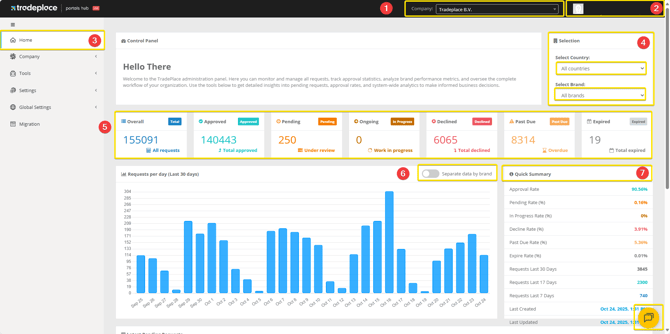
The interface includes the following numbered features:
- Company Selector: Switch between your associated brands for seamless management.
- Profile Settings: Manage your account and personal profile details.
- Home Button: Return to the main dashboard at any time.
- Dashboard Company Selector: View specific brand overviews and filter results by country or Brand Portal.
- General Request Overview: Monitor the total number of requests and track their current statuses.
- Report Overview (Requests per Day): Analyze request trends with a 30-day comparison chart.
- Quick Summary: Review key metrics, including approval and decline percentages, at a glance.
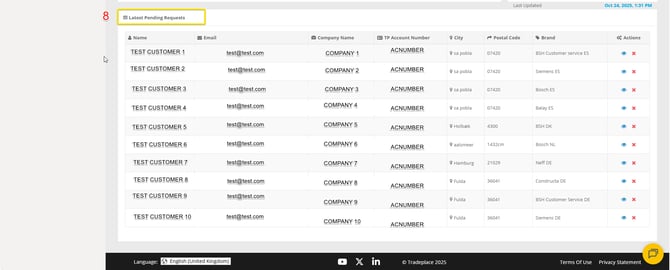
- Latest Requests: View a summary of the 10 most recent requests related to your managed brands.
This feature is available for all administrators, if you can't see it please contact support at: support@tradeplace.com