How to request new brand access?
STEP 1
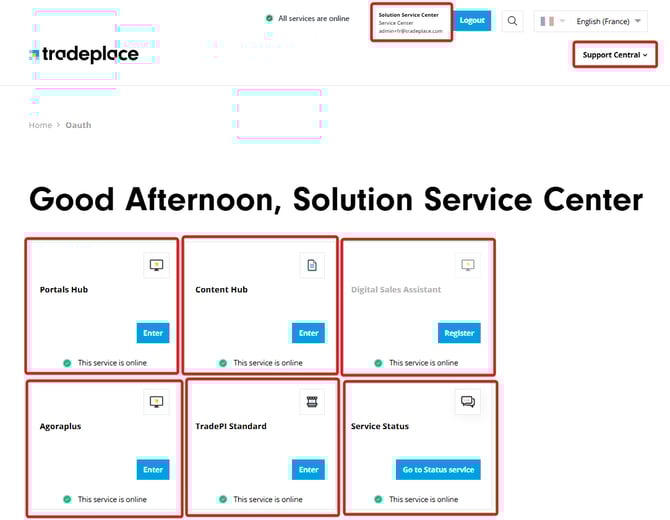
On the home page, you can see the list of available services. Click on Enter on the Portals hub
STEP 2
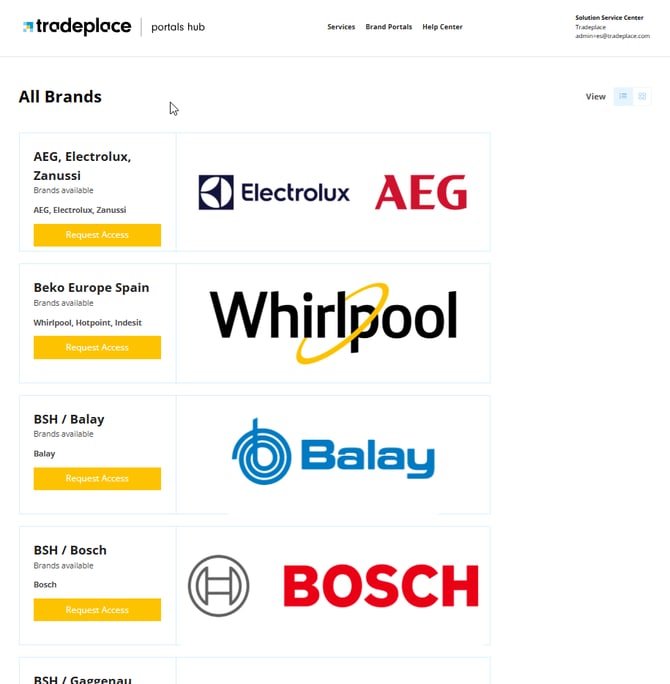
Once inside, you will see the complete list of brands you currently have available as well as unregistered brands.
STEP 3
Scroll and find the desired brand, then click on 
STEP 4
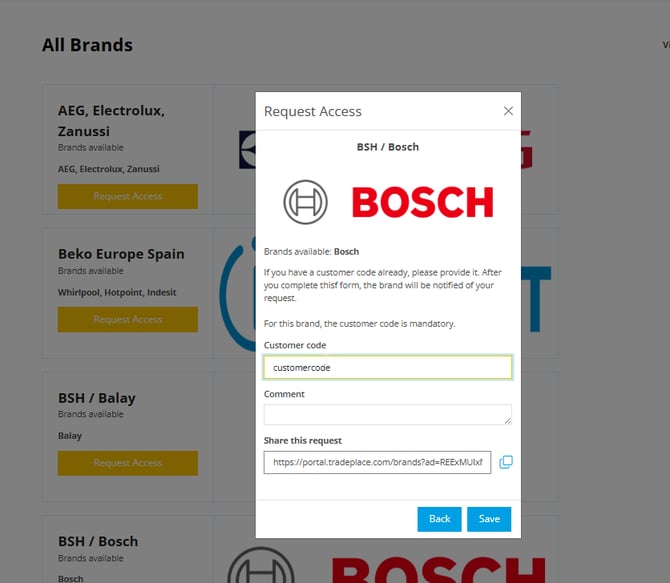
Enter your customer code and comment (not obligatory) and save the request.
Please contact your sales representative at the Manufacturer side, if you don't have a customer code for their brand.
Take into consideration that Tradeplace does not handle the acceptance of these requests and you must wait for the manufacturer team to review your application.
How to verify the status of your connections and related information?
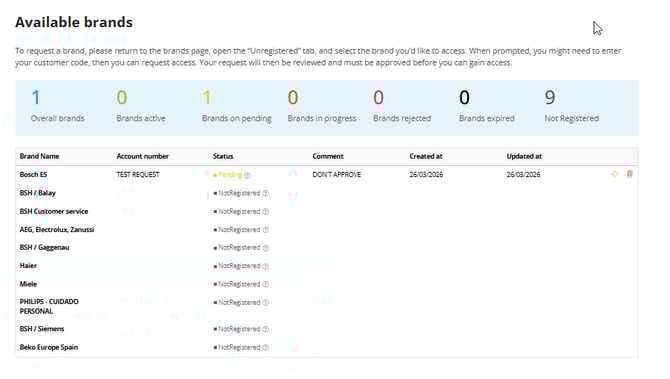
You can check all the current accepted or pending brands, see the customer code used and delete the requests when entering the brand management space.
STEP 1
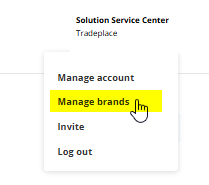
Once inside the Portals Hub environment click on your name (top right) and select Manage Brands.
STEP 2
Inside you'll find the complete list of brands with their status, customer code, date of creation and approval, as well as the delete function.