
To manage your account information, follow these steps:
STEP 1
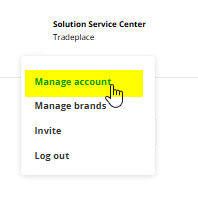
Click on your name and e-mail on the top right corner of the page and click on Manage account.
STEP 2
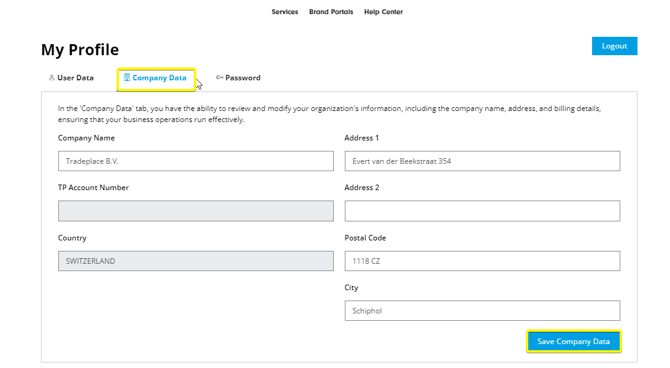
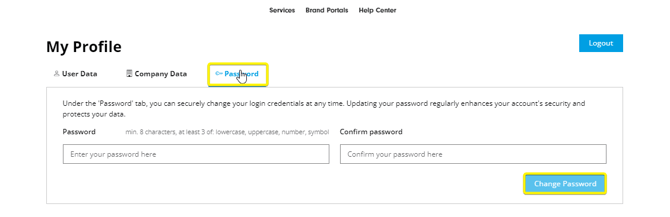
Correct the information regarding your user, company or password and save.
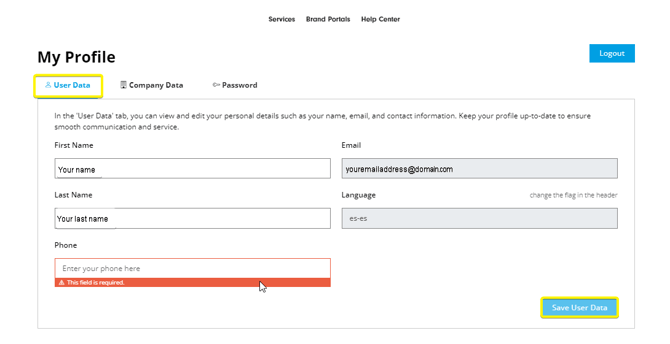
Please note that changing the registered e-mail address is not possible. If you need to use a different e-mail, a new registration is required.
If you need additional assistance, contact support@tradeplace.com.